
How to create a website for free in 2026
Building a website doesn’t always require a monthly subscription, complicated hosting setup or a large technical budget.
Many aspiring entrepreneurs start by searching for “how to make a website for free.” They then discover that many website builders place important features behind paid plans, add platform branding or require upgrades before the site is ready for serious business use.
This creates what can be called the “Free” Website Trap. You start with a zero-cost idea but quickly encounter limitations that can create unnecessary cost and technical debt.
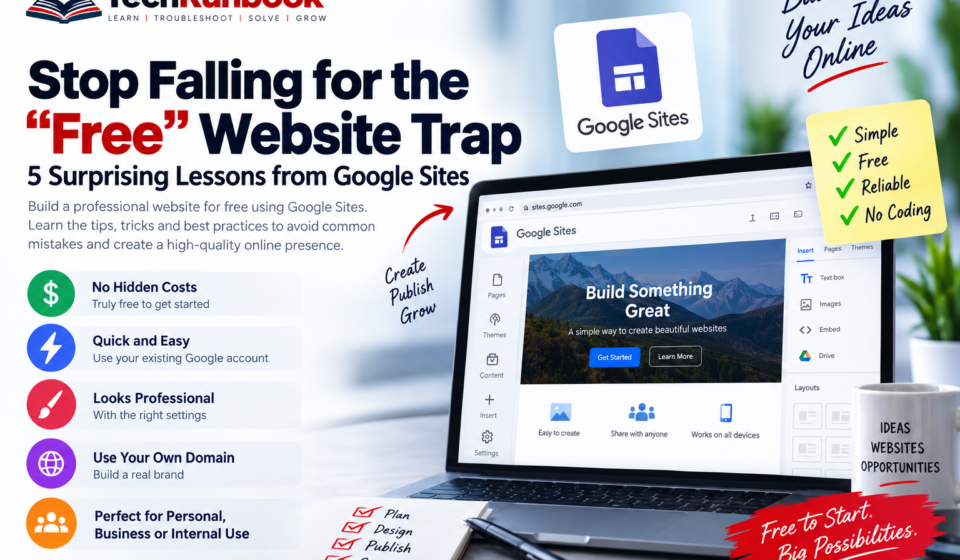
For entrepreneurs and creators looking for a simple low-code approach, Google Sites offers an alternative worth considering.
Here are five lessons that can help you use Google Sites to create a professional web presence with minimal upfront cost.
1. The “Already In” Advantage: Zero-Friction Launching
Momentum matters when you’re launching a new project.
Creating additional accounts, verifying email addresses and entering payment information can add unnecessary friction when all you want to do is publish a simple website.
Google Sites removes much of that initial friction if you already have a Gmail or Google Workspace account.
If you already have access to Gmail, you are already in.
You can access Google Sites through sites.google.com and start creating a website using your existing Google account.
Why this matters
For an MVP, landing page or simple information website, getting online quickly can be more valuable than spending days configuring a complex platform.
Google Sites is particularly useful when the primary requirement is to publish information rather than build a sophisticated web application.
The basic workflow is straightforward:
- Open Google Sites.
- Choose a template or start with a blank site.
- Add your content.
- Customize the design.
- Publish the site.
This makes Google Sites an interesting option for entrepreneurs who want to validate an idea before investing in a more complex website platform.
2. The Professionalism Hack: Perceived Value Is in the Details
A website can look unfinished regardless of which platform powers it.
The difference often comes down to the small details that establish trust when someone first visits the site.
Add a Favicon
A favicon is the small icon displayed in the browser tab.
Adding your own favicon helps establish a recognizable visual identity and makes the website feel more closely associated with your brand.
Use your company logo or a simplified version of your brand mark that remains recognizable at a small size.
Create a Consistent Font Hierarchy
Typography also affects how professional a website feels.
Use a clear hierarchy between headings and body text.
For example:
- Use a stronger font treatment for headings.
- Use a clean and readable style for body text.
- Keep typography consistent throughout the website.
- Avoid mixing unrelated fonts.
The goal is not to make the website visually complicated. It is to make the information easy to scan and understand.
Review the Viewer Settings
Google Sites includes settings that can affect what visitors see.
The original approach discussed here recommends reviewing Viewer Tools and disabling the Info Icon when appropriate.
The reasoning is simple. Elements that expose information such as update details may not always contribute to the intended presentation of a business website.
At the same time, Anchor Links can remain enabled because they provide useful navigation for longer pages.
3. Bypassing Design Limits: The Canva-to-Google Pipeline
Google Sites prioritizes simplicity and speed.
That simplicity can also mean that its native design controls may not provide everything a creative entrepreneur wants.
One practical approach is to use Canva to create custom visual assets and then use those assets inside Google Sites.
Instead of relying entirely on default background images, you can create:
- Brand headers
- Section backgrounds
- Gradient graphics
- Promotional banners
- Feature images
- Call-to-action graphics
Create the graphic in Canva, export it at an appropriate resolution and upload it to your Google Sites page.
This gives you considerably more control over the visual identity without requiring custom HTML or CSS.
Use Custom Header Images Carefully
A custom header image can immediately change the appearance of a Google Sites page.
If the image appears darker than expected, check the image and header presentation settings before assuming that the source graphic is the problem.
The objective should be to maintain sufficient contrast between the background and any text displayed over it.
A visually impressive header is useful only when visitors can still read the content.
4. Long-Term Domain Strategy: Avoiding Price Creep
A free website address such as:
sites.google.com/view/yourname
may be perfectly acceptable for testing an idea.
For a serious business, however, a custom domain provides a much stronger brand identity.
For example:
yourbusiness.com
is easier to communicate and remember than a platform-generated address.
The important point is that free hosting and a custom domain are separate considerations.
You can use a low-cost website platform while still maintaining ownership of your own domain.
Think Beyond the First Year
Domain registrars may offer introductory pricing that changes when the initial registration period ends.
Before purchasing a domain, check:
- Initial registration price
- Renewal price
- Available registration periods
- Transfer policies
- Domain privacy options
- Additional fees
Don’t make the decision based solely on the promotional price displayed during checkout.
Enable Domain Privacy
Where supported, domain privacy can help reduce the exposure of personal contact information associated with a domain registration.
For entrepreneurs using a personal address or contact information during registration, this can be an important privacy consideration.
5. The Stealth Website: High Utility for Niche Use Cases
A website does not always need to be designed for public search.
There are situations where you want people to access a website through a direct link without actively promoting it through search engines.
Google Sites provides publishing and visibility controls that can be useful for these scenarios.
One approach is to publish the site while requesting that search engines not display it.
This can be useful for projects where the primary distribution method is sharing a direct URL.
Where This Can Be Useful
Internal Project Portals
Teams can use a simple website to organize:
- Project information
- Documentation
- Meeting resources
- Useful links
- Process information
Private Portfolios
A portfolio can be shared directly with a recruiter, customer or prospective client without necessarily promoting it through search.
Event Planning
A dedicated website can contain:
- Event schedules
- Venue information
- Instructions
- Frequently asked questions
- Contact information
The important distinction is that hiding a website from search engines is not the same thing as making it secure or private.
If information is sensitive, use an appropriate authentication and access-control solution rather than relying only on search visibility settings.
Google Sites vs Paid Website Builders
The biggest lesson is not that Google Sites is better than every other website platform.
The better question is whether you actually need the features provided by a paid website builder.
For a simple website, the requirements might be limited to:
| Requirement | Google Sites Approach |
|—|—|
| Basic website | Yes |
| Custom content | Yes |
| Images | Yes |
| Custom domain | Supported |
| Simple business presence | Suitable |
| Internal information portal | Suitable |
| Advanced ecommerce | Consider another platform |
| Complex web application | Consider another platform |
| Advanced marketing automation | Consider another platform |
The right platform depends on what the website needs to accomplish.
Avoiding Technical Debt From Day One
Technical debt isn’t limited to software development.
A website can also accumulate unnecessary complexity through excessive plugins, complicated integrations, expensive subscriptions and features that the business does not actually use.
For an early-stage project, a simpler platform can sometimes be the better starting point.
You can begin with the minimum required functionality, validate the idea and move to a more advanced platform when the business actually requires it.
That is a more sustainable approach than paying for advanced functionality before you need it.
When Google Sites Makes Sense
Google Sites can be a practical option when you need:
- A simple business website
- An MVP landing page
- An internal project portal
- A documentation site
- A simple event website
- A basic portfolio
- A quick information site
It becomes less suitable when your requirements include sophisticated ecommerce, complex databases, advanced membership systems or highly customized application functionality.
Final Verdict
The biggest lesson from the “Free” Website Trap is that free should not automatically mean limited, and paid should not automatically mean better.
Google Sites can provide a straightforward starting point for entrepreneurs, creators and teams that need a simple web presence without building and maintaining a complex technical stack.
The strongest approach is to start with the requirements rather than the platform.
If a simple website can solve the problem, use a simple website.
If the project eventually requires ecommerce, advanced analytics, automation or application functionality, you can upgrade the technology when those requirements become real.
The goal is not to build the most complicated website.
The goal is to build the right website for what you need today while keeping a clear path for tomorrow.
For free hosting and domain check Hostinger
For more technical guide check TechrunBoook.